
Independent concept / Android
Catch
A smaller list from a group chat you still need to follow
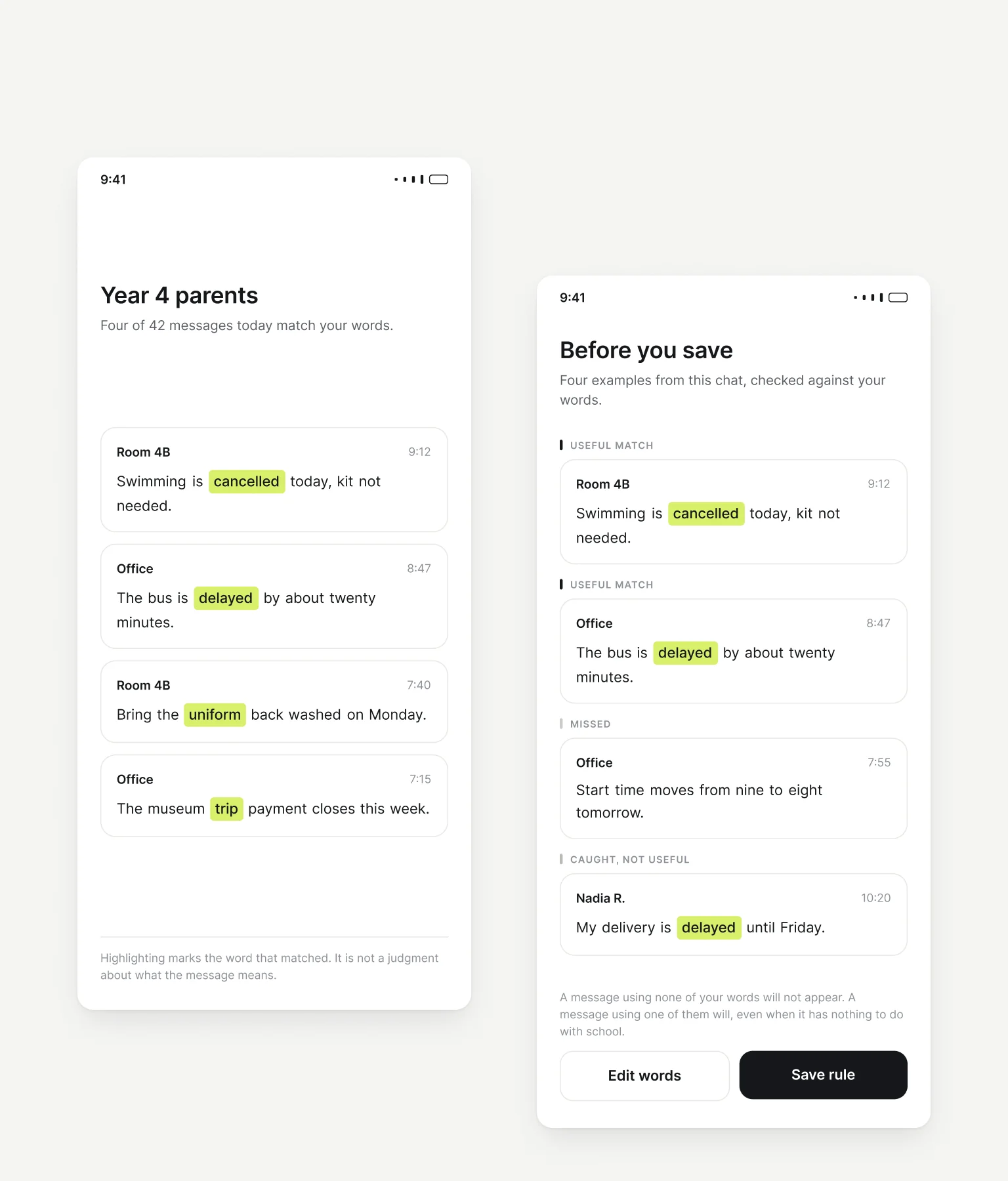
Catch is an Android concept that keeps messages matching a few words chosen by the person using it. I designed the rule, the screens, and the identity, with particular attention to showing the rule's limitations before it is saved.
Role
Product concept, rule design, interaction design, UI, and identity.
Conditions
The matching is simulated.
The prototype walks through rule creation, preview, matching, and edits. No notification service is connected and nothing is implemented.
The messages were authored.
The four preview messages were written to show two useful matches, one miss, and one irrelevant match. Their labels describe the examples, not the ability of the rule to read meaning.
Product scope
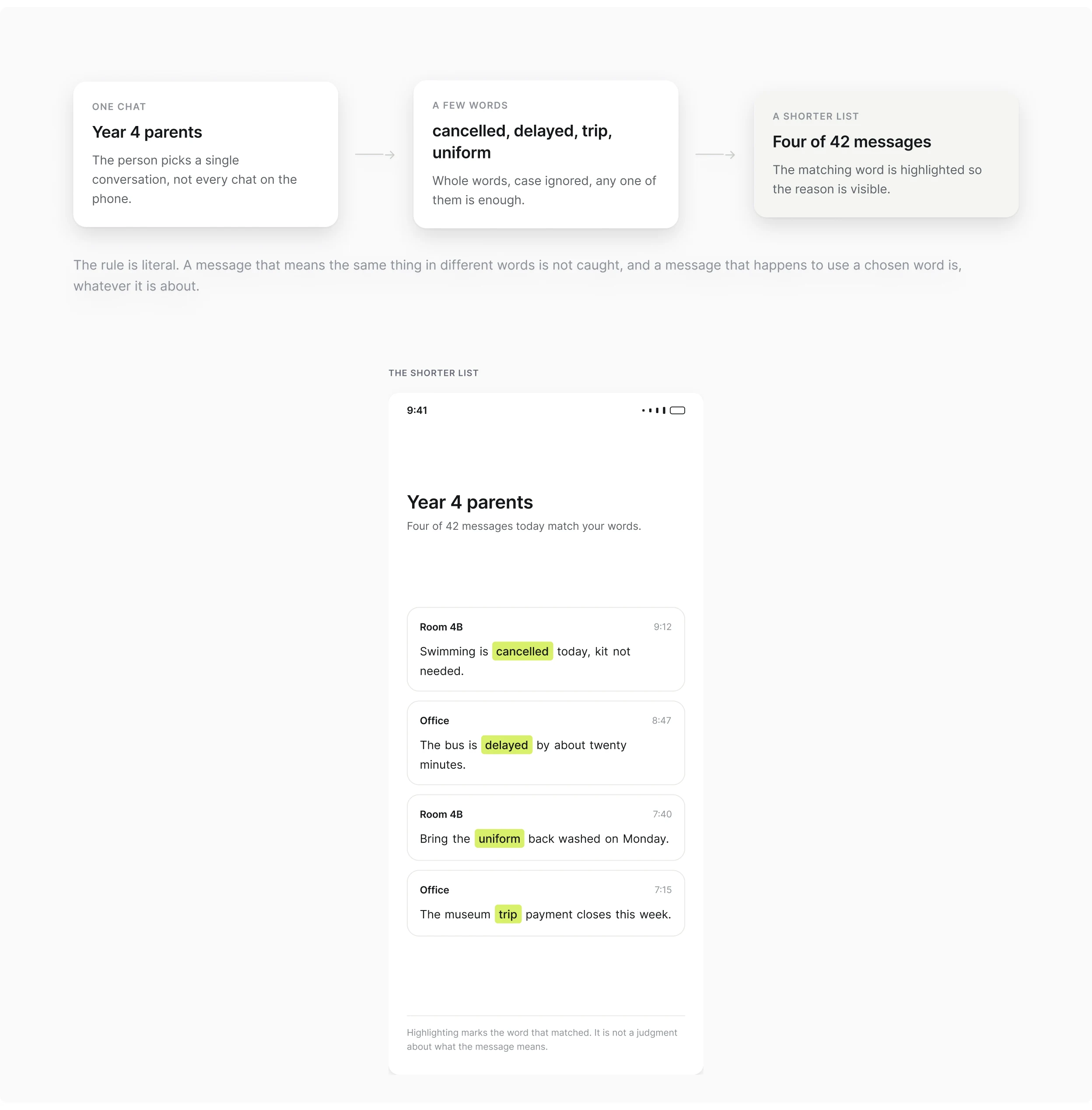
Keep the scope to one chat and a few words
The chat and the words
The project centers on a school group: a conversation someone needs to follow, with a small set of important topics among many other messages.
What it does and does not do
Catch does not replace the group or rewrite its conversation. The person chooses a chat and a few words; matching text appears in a separate list, with the word responsible highlighted.
The key decision
Show the rule before asking someone to trust it
Before it is saved
The rule cannot be saved directly from the screen where it is written. The next screen demonstrates its behavior with four authored messages.
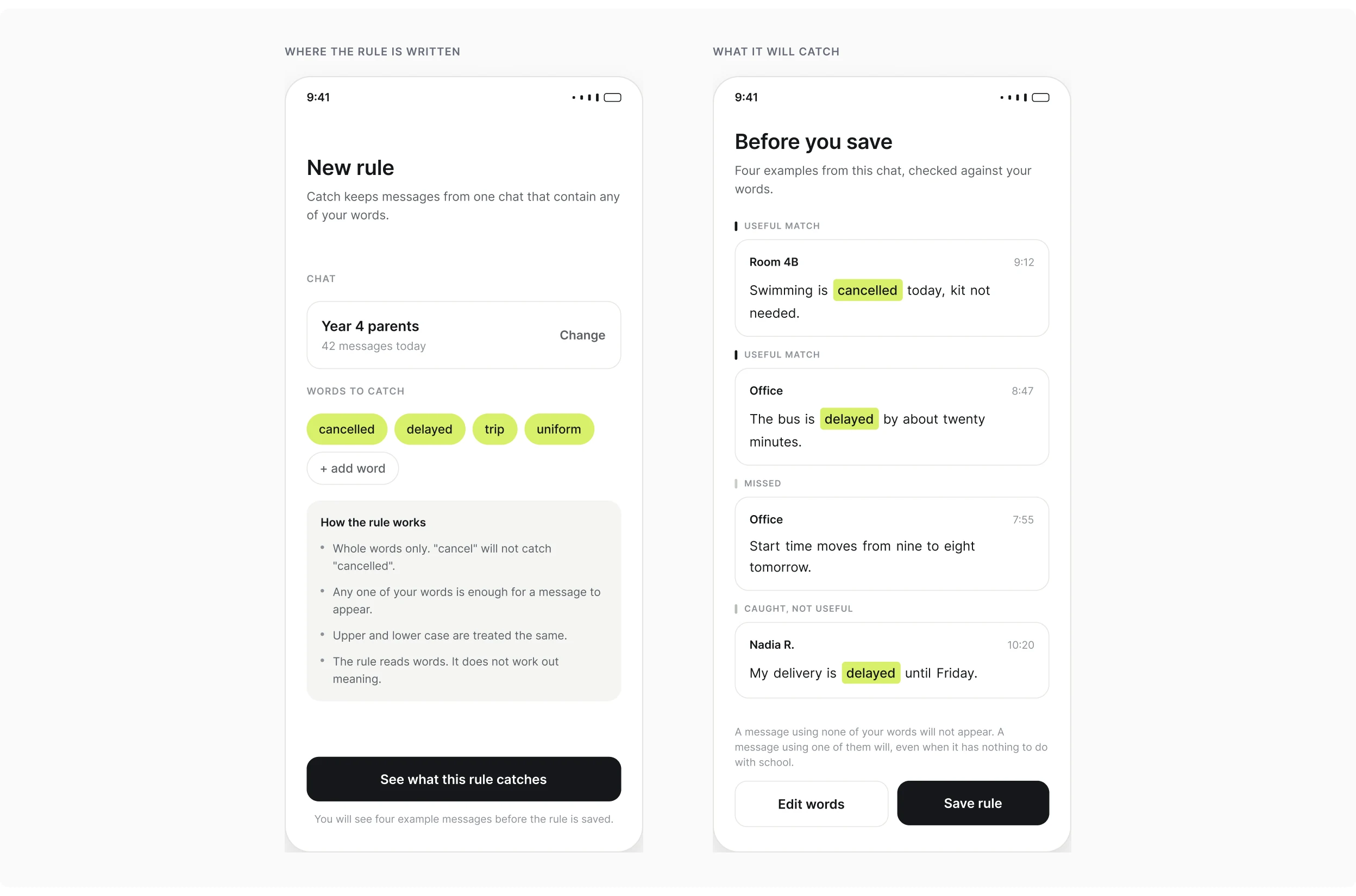
Four authored messages
A cancelled class is caught. A delayed school bus is caught. A change from nine o’clock to eight is missed because it uses none of the selected words. A delayed delivery is also caught, even though it is irrelevant to the school day. I gave the useful matches, the miss, and the stray match equal space. They are not exceptional errors; they show the limitations of this matching approach.
Matching behavior
Choose an explainable rule over inferred meaning
What the rule does
The rule matches whole words, ignores case, and keeps a message when any chosen word appears. It does not infer meaning.
Why not meaning
Meaning-based matching could recover a message about a changed start time. I chose the simpler rule for this concept because its behavior can be stated and demonstrated before someone relies on it. The cost is that the person has to manage misses and irrelevant matches themselves.
Editing a rule
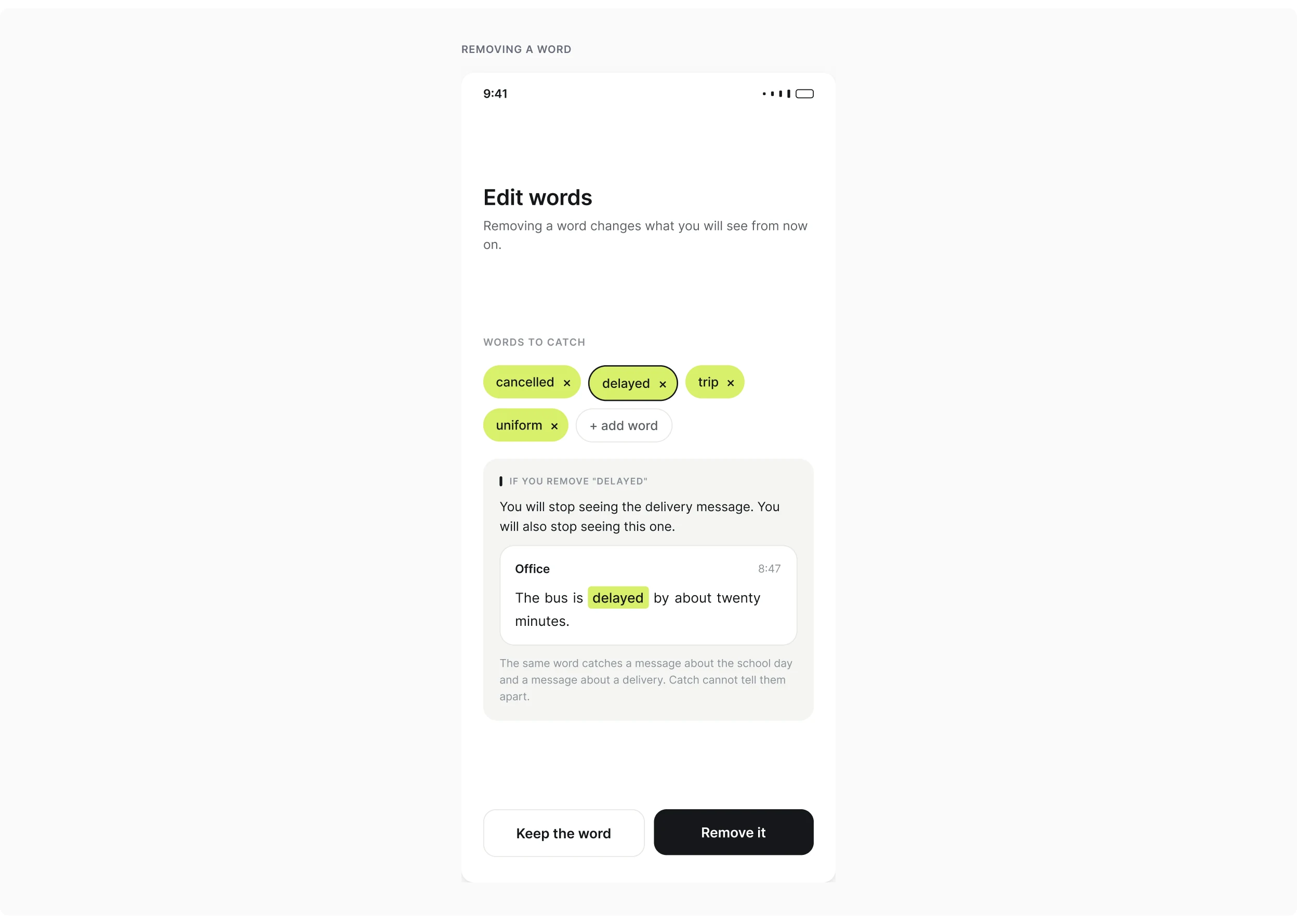
Explain what an edit will remove
The cost of an edit
The delivery example leads to the next decision. Removing "delayed" would remove that match, but it would also remove the delayed bus match.
Where the explanation sits
The explanation places the cost beside the edit. The person should understand what they are giving up, not just see an option to remove a word.
Visual language
Let the visual language explain the match
The highlight
The highlight behind a word connects the matches list to the identity. It gives the interface a consistent way to show why a message appeared.
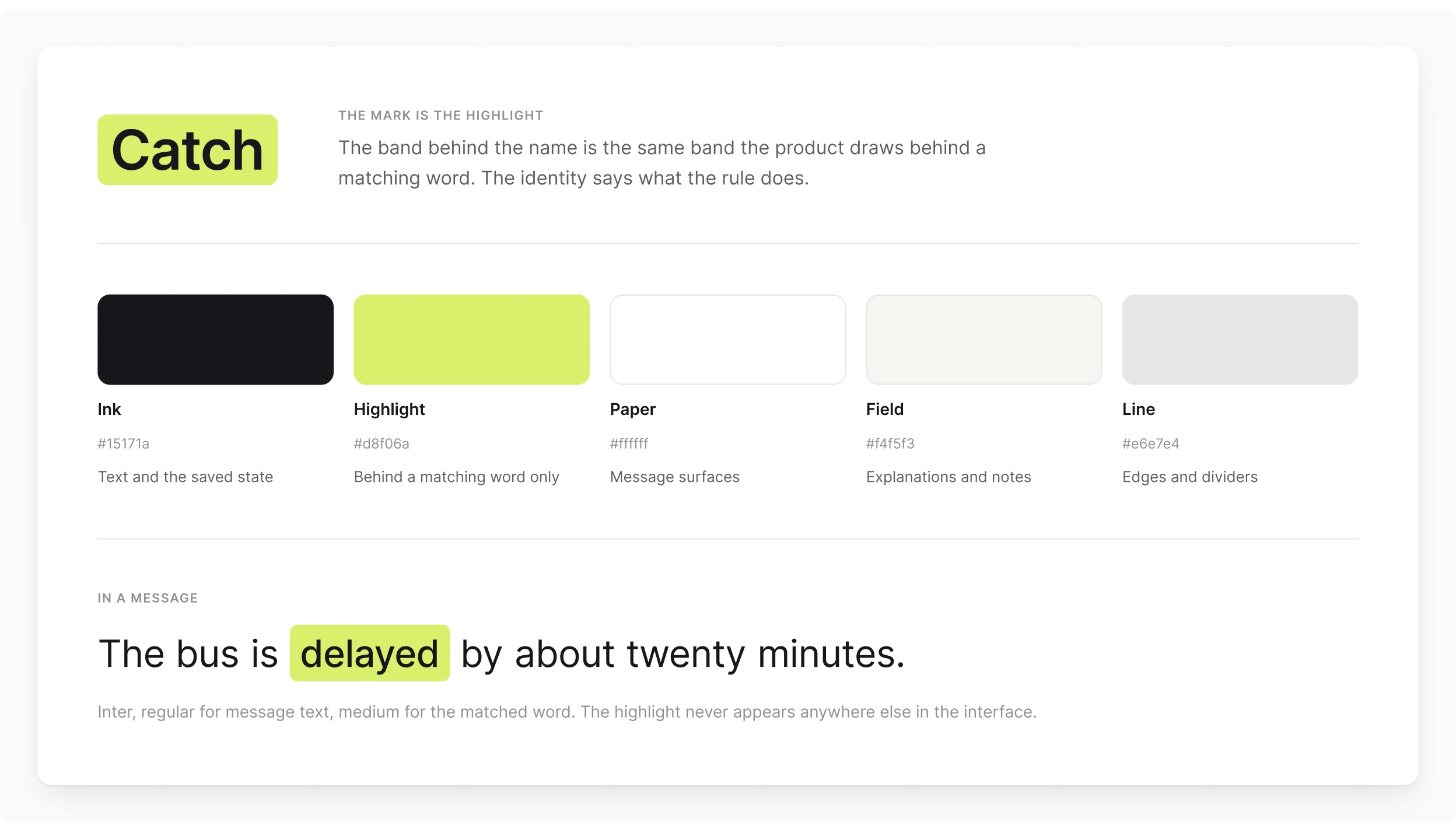
What it does not claim
In the preview, the examples also explain where that match is useful and where it is not. The rule itself still operates on words, not meaning.
Delivery & scope
A prototype that shows its own limits
The connected prototype covers rule creation, preview, matching examples, and edits. The matching and notification behavior are simulated.
- A connected Figma prototype with four walkable flows
- Rule creation, preview, matching examples, and edits
- The rule, the screens, and the identity are mine
- SignalLoop and ShopSmartAutos are covered in separate case studies